
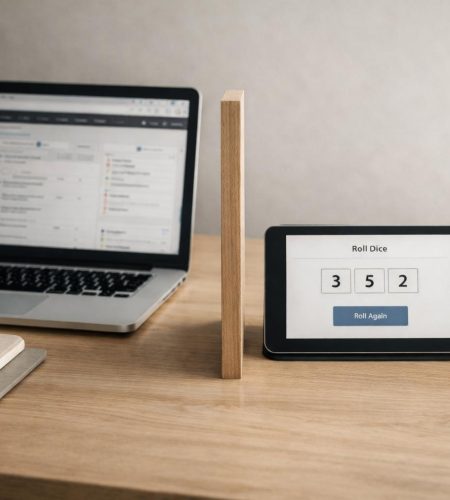
A simple online tool often solves a problem faster than a full app. It loads in seconds, performs one clear function, and stays out of the way. In contrast, full applications require installation, setup, and ongoing management.
Many everyday tasks do not need an ecosystem. Instead, they require clarity and speed. A dice roll. A quick timer. A life counter during a board game. A grid generator for drafting a logic puzzle. In these situations, complexity adds friction rather than value.
This distinction matters for people who think in systems. Structured thinkers quickly notice when a system becomes heavier than the task itself.
The difference is not about quality. It is about scope and fit.
What Defines a Simple Online Tool?
A simple online tool has a narrow purpose and executes it cleanly. It opens in a browser and works immediately.
Most tools of this type share several traits:
- No installation
- No account requirement
- Minimal interface
- Fast load time
- Limited feature set
For example, consider an online dice roller for tabletop games. Or a clean Pomodoro timer with only start, pause, and reset. A printable grid generator for custom puzzles fits the same pattern. These same principles also shape well-designed tabletop helpers, as outlined in What Makes a Good Tabletop Helper Tool?. Each tool supports a specific moment; it does not attempt to manage an entire workflow.
Full apps operate differently. They aim to become central hubs. As a result, they store data, sync across devices, add analytics, and expand features over time. That approach works well for long-term systems such as project management or knowledge bases. However, applying the same model to small tasks often creates unnecessary weight.
When a Simple Online Tool Is Better Than a Full App
There are clear scenarios where a simple online tool is better than a full app. These cases usually involve short sessions, limited scope, and low long-term commitment.
Short, Repeatable Tasks and a Simple Online Tool
Some tasks take less than five minutes. You perform them often, yet you do not need to store history.
Rolling virtual dice during a board game session illustrates this well. You need randomness. You do not need dashboards, statistics tracking, or user profiles. Therefore, a lightweight browser-based tool works better.
The same principle applies to quick unit conversions, temporary timers, random number generators, or coin flips for small decisions. In each case, extra layers slow the action down.
Temporary Use Cases Where a Simple Online Tool Fits Better
Certain tools serve temporary needs. You might generate a tournament bracket once for a local event. Alternatively, you may create a printable puzzle grid for a single classroom activity.
In these situations, you do not plan to return daily. Cloud storage and long-term data management offer little benefit. A full app would introduce setup steps and possibly email confirmation. That overhead does not match the use case.
A simple online tool respects the temporary nature of the task and keeps interaction short.
Focus Without Distraction
Full applications often include navigation menus, notifications, integrations, and layered settings. Those features support power users; however, they also introduce cognitive noise.
By contrast, a simple online tool presents only what matters. The interface mirrors the problem. Nothing competes for attention.
For puzzle creators, this clarity matters. When drafting a logic grid or testing number constraints, a clean workspace supports concentration. Pop-ups, side panels, and social features interfere with structured thinking.
The Hidden Costs of Overbuilt Apps Compared to a Simple Online Tool
Overbuilt solutions create hidden costs. Although the features may seem useful, they demand time and mental energy.
Setup and Maintenance
Full apps require updates and permissions. In addition, they store data and sometimes require backups or subscriptions.
For long-term systems, that investment makes sense. However, for short-lived tasks, it becomes overhead. A simple online tool avoids most of this. You open it when needed and close it when finished. Nothing lingers.
Cognitive Load and Interface Weight
Every extra feature increases complexity. Even if you ignore those features, they remain visible.
When designing puzzles or planning a weekly schedule, clarity improves performance. Therefore, fewer buttons and fewer choices often lead to faster action. Minimal tools reduce decision fatigue and keep the task contained.
Fragmentation of Attention
Large apps attempt to connect everything: tasks, notes, reminders, analytics, messaging. While integration can improve efficiency, it can also blur boundaries.
Sometimes separation works better. A clean timer for focused work. A dedicated life counter for game night. A basic checklist for packing. This approach reflects the difference between being busy and being organized, explored in The Difference Between Being Busy and Being Organized. Each tool exists in its own container, and as a result, attention stays protected.
When a Full App Is the Better Choice
This argument does not reject full applications. They solve different problems.
Full apps work best when you need persistent data, collaboration, complex workflows, automation, or long-term tracking. Project management systems and accounting platforms justify their setup time because they replace manual processes.
The distinction depends on duration and scope.
If a task lasts months or years, investing in a robust system makes sense. On the other hand, if the task lasts minutes, a simple online tool usually fits better.
Designing a Better Simple Online Tool
Simplicity requires discipline. A well-designed simple online tool follows clear principles.
One Core Function
First, define the primary action. Support it fully. Then stop.
A dice roller should roll dice. It may allow you to select the number of dice or sides. However, it should not evolve into a campaign manager. Clear boundaries protect usability.
Immediate Feedback
Users should see results instantly. Click. Output. Done.
Delays weaken trust. Fast response reinforces the narrow focus of the tool.
Clean Structure
Consistent spacing and readable typography matter. In addition, remove decorative elements that distract from function. Structured layout supports structured thinking.
No Forced Commitment
Whenever possible, allow use without login. Avoid collecting data for simple interactions. Respect for user time builds long-term trust.
Why a Simple Online Tool Aligns With Puzzle and Planning Mindsets
People who enjoy logic puzzles, tabletop games, and structured planning value efficiency. They often build their own frameworks.
A simple online tool aligns with that mindset because it acts as a component rather than a platform.
For instance, a puzzle creator might use a grid generator to prototype layouts before formatting them for print. Similarly, a game master may rely on a life counter during a session without installing campaign software. A planner might use a basic countdown timer for focused writing blocks.
Each tool supports a defined moment. It does not attempt to centralize everything. This modular approach mirrors good puzzle design: each rule serves a purpose, and each constraint clarifies the problem.
A Practical Rule: When a Simple Online Tool Is Better Than a Full App
If you can describe the task in one short sentence, you likely need a simple online tool.
“Roll three six-sided dice.”
“Track life totals for two players.”
“Generate a 6×6 blank grid.”
“Set a 25-minute timer.”
If the description expands into paragraphs, a full application may be more appropriate.
This rule prevents overengineering. More importantly, it protects your attention and keeps tools aligned with their purpose.
Conclusion
Both approaches have value. Full applications support long-term systems and manage complex workflows over time.
However, a simple online tool often handles short, focused tasks more effectively. It reduces friction, avoids unnecessary setup, and keeps attention on the action itself. When the task is narrow and temporary, simplicity provides a better fit.
Choosing the right level of complexity is a design decision. In many everyday cases, a simple online tool is not a compromise. It is the correct solution.
Comments