

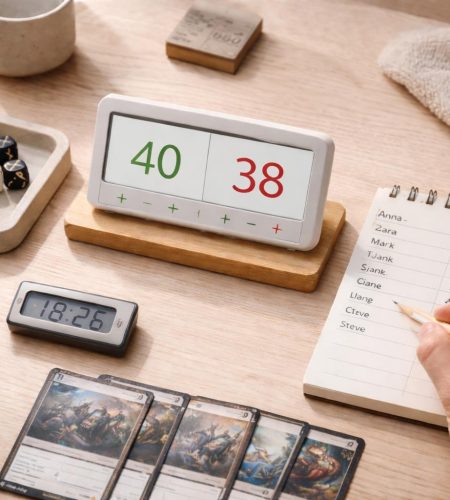
A good tabletop helper tool supports the flow of play without taking control of it. It reduces friction, keeps information clear, and removes repetitive tasks. As a result, players stay focused on decisions rather than bookkeeping.
In tabletop games, small inefficiencies accumulate quickly. Tracking life totals, managing initiative order, rolling dice, or monitoring resources can slow the session. Therefore, a well-designed helper tool keeps these tasks simple and visible.
This is especially relevant for players who enjoy structured systems. If you appreciate clarity in planning and organization, you may also relate to the ideas discussed in “The Difference Between Being Busy and Being Organized.” Tabletop sessions benefit from the same principle: structure reduces noise.
Below is a practical breakdown of what makes a tabletop helper tool worth using.
Clarity Before Features
First and foremost, clarity defines quality. If players hesitate while using the tool, the design has already introduced friction.
The interface should answer three questions immediately:
- What does this tool do?
- What is the current state?
- What can I change?
For example, a life counter should display numbers clearly at a distance. Buttons must look interactive. Moreover, changes should reflect instantly. Animations are unnecessary. Likewise, decorative gradients rarely add value. Instead, high contrast and readable typography matter far more.
Many tools overload the screen with optional features. As a result, the primary function becomes harder to see. In live play, that creates hesitation.
By contrast, a strong helper tool keeps the core function visible at all times. Secondary features remain accessible, but they never dominate the layout.
A Good Tabletop Helper Tool Reduces Cognitive Load
In addition to clarity, efficiency plays a central role. A good tabletop helper tool removes mental overhead rather than adding new complexity.
This is similar to how structured constraints improve concentration, as explained in How Logic Puzzles Improve Focus and Pattern Recognition.
Cognitive load increases when players must remember steps. For instance, if rolling dice requires navigating menus, selecting modifiers, and confirming actions, the tool slows the game.
Instead, effective tools follow a few practical principles.
Immediate Access
The core function should be one interaction away. A dice roller opens and rolls instantly. A timer starts with a single action. Similarly, an initiative tracker allows quick reordering without friction.
Predictable Behavior
Buttons must behave consistently. If tapping increases a value by one, it should always do so. Otherwise, players hesitate. Predictability builds trust.
Visible State
Game state must remain visible at all times. When a resource changes, the new value should stand out clearly. Consequently, players do not waste time searching for updated information.
When the tool reduces decision fatigue, the group can focus fully on strategy and interaction.
Interestingly, this mirrors how logic puzzles strengthen structured thinking. As discussed in “How Logic Puzzles Improve Focus and Pattern Recognition,” clarity and pattern stability reduce cognitive strain. The same principle applies here.
Speed Matters More Than Depth
During gameplay, speed outweighs advanced functionality.
Many digital tools attempt to anticipate every possible scenario. They include optional rule modules, long-term statistics, or customization layers. While those features may look impressive, they rarely help in the moment.
Consider a simple initiative tracker. The essential requirements are straightforward:
- Add a player
- Add an opponent
- Sort by initiative
- Mark turns clearly
Everything else is secondary.
If sorting takes several steps, momentum drops. Likewise, if editing requires navigating away from the main screen, the session pauses unnecessarily. In contrast, a minimal tracker with direct reordering keeps the rhythm intact.
Ultimately, a tabletop helper tool should support the pace of the table. It should never compete with it.
Designed for Real Play Conditions
Tabletop sessions rarely happen under ideal circumstances. Lighting varies. Screens reflect glare. Players sit at different angles. Therefore, design must account for real-world conditions.
Large, Readable Numbers
Life totals, timers, and counters must remain legible across the table. Small fonts reduce usability immediately. Larger numbers improve clarity without adding complexity.
Strong Contrast
Subtle color differences may appear elegant in isolation. However, in bright rooms they often fail. Clear contrast improves readability and reduces strain.
Minimal Interaction Steps
Players often use one hand while holding cards or notes. Consequently, fast input becomes essential. Large tap zones for increment and decrement actions prevent errors. Sliders, on the other hand, tend to introduce precision issues.
Good design respects physical context.
Focused Scope
Another defining trait is restraint. A helper tool must define its purpose clearly.
Some apps attempt to combine life tracking, dice rolling, campaign notes, soundboards, and rule references in one interface. Although this sounds convenient, it often leads to clutter.
Focused tools perform better. For example, a dedicated dice roller works faster than a layered multi-tool. Likewise, a clean life counter outperforms a themed dashboard filled with decorative animations.
In short, scope discipline improves usability. At the same time, it reduces confusion.
Consistency With Game Structure
Different games require different levels of structure. Therefore, the tool should align with the game’s demands.
A competitive card game often requires precise tracking. Values change quickly, and turn order matters. Accuracy becomes critical.
By contrast, a casual party game may only need a basic score tracker.
A good tabletop helper tool adapts without overwhelming users. It offers structured flexibility rather than endless customization.
For example:
- Adjustable starting values for life counters
- Configurable dice types without deep setup
- Editable player names without mandatory accounts
This level of flexibility supports real play without increasing friction.
Reliability Over Novelty
Reliability builds trust over time.
If a tool requires login before use, friction increases. Similarly, if it depends entirely on internet access, it risks failure during sessions.
Whenever possible, a tabletop helper tool should:
- Work offline
- Avoid forced registration
- Load quickly
- Store session data locally
These decisions may seem simple. However, they directly affect usability.
Visual Restraint Supports Focus
Finally, visual design influences concentration.
Bright animations and sound effects may look impressive in isolation. However, during live play they distract from the table.
Neutral colors and clear spacing support focus. As a result, users make fewer mistakes. Visual restraint creates calm.
This does not mean the interface must feel sterile. Rather, every element should justify its presence. In structured environments such as logic-based games, visual order reinforces mental clarity.
Example: Evaluating Common Helper Tools
Dice Roller
A strong dice roller shows results instantly, displays totals clearly, and allows quick rerolls. It supports common dice types without layered menus.
A weak version requires selecting die type from dropdowns, confirming quantity, and navigating extra steps before rolling.
Life Counter
A good life counter uses large numbers, offers quick increment and decrement controls, supports multiple players on one screen, and resets easily between rounds.
A cluttered counter hides settings behind icons and uses small typography.
Initiative Tracker
An effective tracker allows fast name entry, automatic sorting, clear turn highlighting, and simple reordering.
An overbuilt tracker requires accounts and complex setup before first use.
Conclusion
A good tabletop helper tool supports play without dominating it. It reduces friction, lowers cognitive load, and keeps information visible.
First, clarity ensures instant understanding. Next, speed protects the rhythm of the session. Focused scope prevents clutter. Finally, reliability and visual restraint ensure long-term usability.
When evaluating or building a tabletop helper tool, test it during real gameplay. If it shortens pauses and keeps attention on decisions, it succeeds. If it introduces extra steps or visual noise, refinement is necessary.
In tabletop environments, simplicity is not a limitation. Instead, it is a practical advantage.
Comments